How to Set Up a Google Business Profile in 2025 and Get Verified (Even If You Work From Home)
Setting up a Google Business Profile has become essential for both office-based and remote businesses looking to boost their local visibility in 2025, with new verification options making it more accessible than ever before. Google's updated verification process now specifically accommodates home-ba
Setting up a Google Business Profile has become essential for both office-based and remote businesses looking to boost their local visibility in 2025, with new verification options making it more accessible than ever before. Google’s updated verification process now specifically accommodates home-based entrepreneurs through video verification, eliminating previous barriers for those without traditional storefronts.
TL;DR:
Create your Google Business Profile at google.com/business
Fill in your business details, and choose from three verification methods (postcard, phone/text, or video). The video option works best for remote businesses. Show your workspace, business cards, and local area. After verification, add photos, hours, and description. The whole setup takes about 15 minutes, with verification taking a few days.
Key Takeaways:
- A Google Business Profile is essential for local SEO and builds customer trust by displaying your information in search results and maps
- Remote workers can now get Google Business Profile verification through the video option without needing a traditional office
- The setup process takes only 15 minutes but can significantly boost your visibility in local search results
- Regular profile updates and review management are crucial for maintaining an effective online presence
- Video verification requires showing your workspace and local area, making Google Business Profile verification for home-based businesses straightforward
What Is a Google Business Profile?
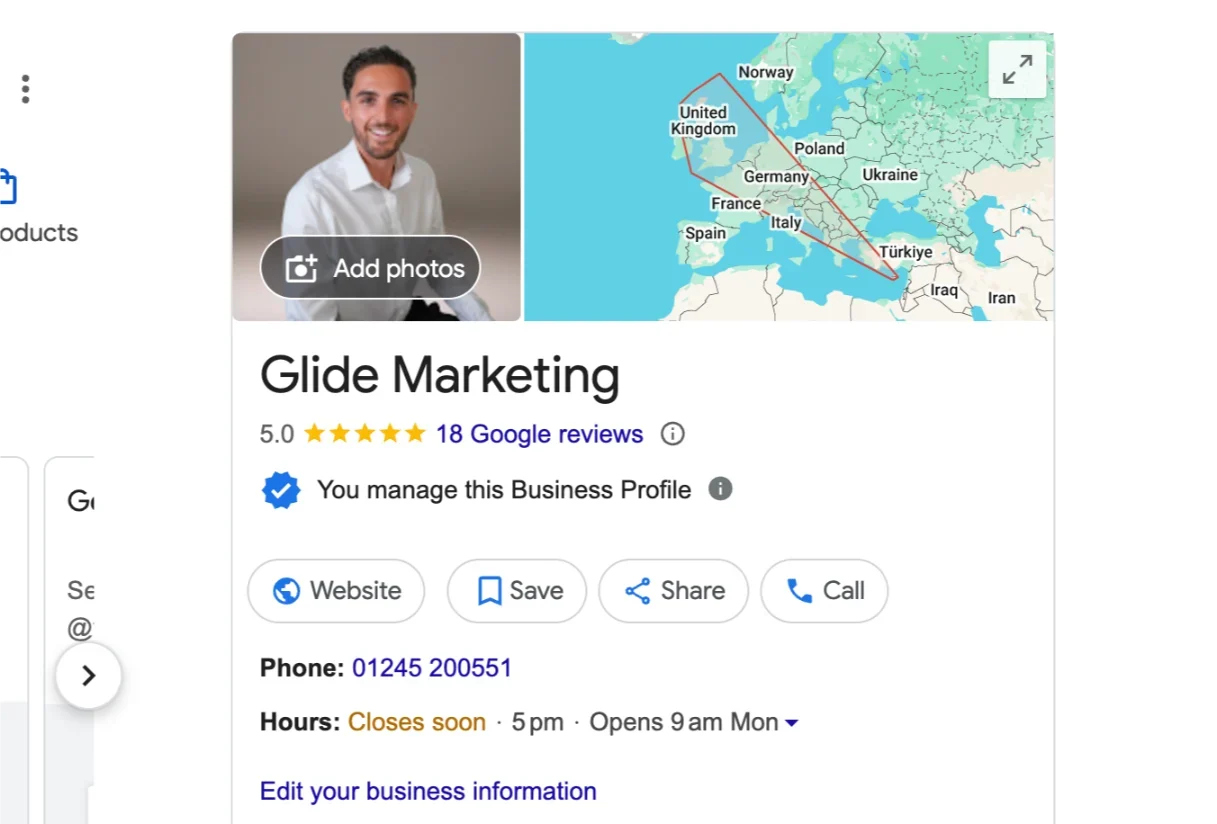
A Google Business Profile is the information panel that appears when someone searches for your business on Google. It’s a digital business card that showcases your essential details: location, hours, contact information, website link, and customer reviews. This profile appears prominently in both Google Search results and Google Maps, making it a crucial component of your local SEO strategy.
Think of your Google Business Profile as your business’s first impression online. When potential customers search for products or services in their area, your profile can be the difference between getting noticed or being invisible. For businesses operating from home or remotely, it’s just as important as it is for storefronts, perhaps even more so, as it helps establish legitimacy without physical signage.
Why It’s Worth Setting Up
Setting up a Google Business Profile delivers immediate visibility benefits for businesses of all sizes. When it comes to local SEO, few tools offer such significant impact for so little effort. A complete profile helps you appear in the “Local Pack”: those three business listings that appear at the top of local search results with a map.
Beyond visibility, your profile builds trust. Customers can see your ratings, read reviews, and verify your legitimacy before making contact. This trust factor is especially crucial for home-based or remote businesses that don’t have the advantage of a physical storefront to establish credibility.
For service-based businesses operating from home, a Google Business Profile helps you compete with larger companies by showing up in local searches when potential customers look for services in their area. And the best part? It’s completely free and takes minimal time to maintain once set up.
Step-by-Step: How to Set Up Your Profile
Creating your Google Business Profile is straightforward, even for those who aren’t particularly tech-savvy. The process follows a logical sequence that guides you through each step:
Step 1: Visit https://www.google.com/business
Step 2: Sign in with your Google account (create one if needed)
Step 3: Search for your business name to see if a listing already exists. If not, you’ll have the option to create a new one
Step 4: Enter your business details accurately, including:
- Business name (exactly as it appears on signage, business cards, and other materials)
- Business category (be specific about what you do)
- Location or service area (for home-based businesses, you can list service areas without revealing your address)
- Contact details including phone number and website
When selecting your business category, be as precise as possible. This helps Google understand what your business does and show your profile to relevant searches. You can select a primary category and add secondary categories if your business offers multiple services.
Google Verification Options in 2025
After creating your profile, the next critical step is verification. This proves to Google that your business is legitimate and that you’re authorized to manage its online presence. In 2025, Google Business Profile verification offers three main methods:
Option 1: Postcard by Mail
Google sends a physical postcard with a verification code to your business address. Once received (typically 3-5 days), you enter the code in your dashboard to complete verification. This option works well for businesses with a physical location but isn’t ideal for those wanting to keep their home address private.
Option 2: Phone Call or Text
If available for your business type, this is the fastest option. Google sends a verification code via phone call or text message to the number listed on your profile. Not all businesses qualify for this option, as Google determines eligibility based on several factors.
Option 3: Video Verification
This is the recommended option for remote workers and home-based businesses. Google Business Profile verification for remote business is much simpler with this method, as you can prove your legitimacy without revealing your home address on your public listing.
For video verification, you’ll need to record and upload a short video showing:
- Your workspace (desk, equipment, work environment)
- Business materials like business cards or letterhead showing your business name
- The exterior environment (without necessarily revealing your exact address)
- If possible, some local landmarks or businesses that help establish your general location
This video verification process specifically helps those seeking Google Business Profile verification from home, as it allows Google to confirm your business exists without requiring a commercial address. The video doesn’t need to be professionally produced. A smartphone recording is perfectly acceptable as long as everything is clearly visible.
Tips for Successful Video Verification
Having helped dozens of home-based businesses get verified, I’ve found that a few simple touches make a big difference in the video verification process. First, ensure good lighting so all details are clearly visible. Have your business cards, website open on your computer, and any branded materials prominently displayed.
When filming outside, capture street signs and recognizable local landmarks without necessarily showing your exact house. This helps Google place your business in the right location without compromising your privacy. Keep the video steady, speak clearly if narrating, and keep it under two minutes.
For those concerned about privacy with Google Business Profile verification for home-based businesses, remember that you can list yourself as a “service area business” rather than a “storefront.” This means your exact address won’t be displayed publicly, but Google can still verify your legitimate business operation.
Optimising Your Profile Once Verified
After successful verification, it’s time to enhance your profile to maximize its impact on your local SEO. Add your business hours accurately, including special holiday hours when relevant. Upload high-quality photos of your products, services, team members (if applicable), and work environment.
Write a concise but informative business description that includes relevant keywords naturally. This description should clearly explain what you do, who you serve, and what makes your business unique, all in about 250 words or less.
Ensure all information matches exactly what appears on your website and other online listings. Consistency across platforms is a key factor in local SEO success. Add any special attributes that apply to your business, such as “women-owned,” “veteran-owned,” or “appointment required.”
Maintaining Your Profile Going Forward
A Google Business Profile isn’t a “set it and forget it” tool. Regular maintenance ensures it continues working effectively for your business. Update your information promptly if anything changes, especially business hours, contact details, or services offered.
Respond to all customer reviews (both positive and negative) in a professional, constructive manner. This shows potential customers that you value feedback and are actively engaged with your client base. For negative reviews, address concerns politely and offer solutions when possible.
Use the Posts feature to share updates, offers, events, or news about your business. These posts appear directly on your profile and can help keep your listing fresh and engaging. Check your profile insights regularly to understand how customers are finding you and what actions they’re taking once they discover your profile.
Why Local SEO Matters for Home-Based Businesses
Even if you work from home, local SEO remains critically important for most businesses. Many consumers search for services “near me” even when those services can be provided remotely. Having a verified Google Business Profile significantly improves your visibility in these local searches.
For consultants, freelancers, and other remote professionals, local connections often form the foundation of a sustainable business. People tend to trust and prefer working with local professionals, even if meetings happen virtually. Your Google Business Profile helps establish this local presence and builds community connections.
Additionally, Google Business Profile verification for remote business helps establish legitimacy in a world where consumers are increasingly wary of online scams. The verification badge signals to potential clients that you’re a real, established business that Google has vetted, not just a random website.
Conclusion
Setting up a Google Business Profile in 2025 is one of the most powerful free marketing tools available to businesses of all sizes, especially those operating from home or remote locations. The process is straightforward, the benefits are substantial, and the new verification options make it accessible to virtually any legitimate business.
Don’t let working from home hold you back from establishing a strong local presence. With video verification, Google Business Profile verification from home is now simpler than ever before. Take 15 minutes to set up your profile today, and you’ll be building visibility, trust, and new customer connections for years to come.
Remember that your Google Business Profile works hand-in-hand with your overall SEO strategy. While it’s a powerful tool on its own, it becomes even more effective when complemented by a well-optimized website and consistent information across all your online listings.